Main Features
An overview of the components that make your RAG run smoothly.
Frontend
A modern, responsive interface for all your RAG needs. Built with Next.js, TypeScript, and Tailwind CSS. UI components from Radix UI, markdown rendering built in.
Chat UI
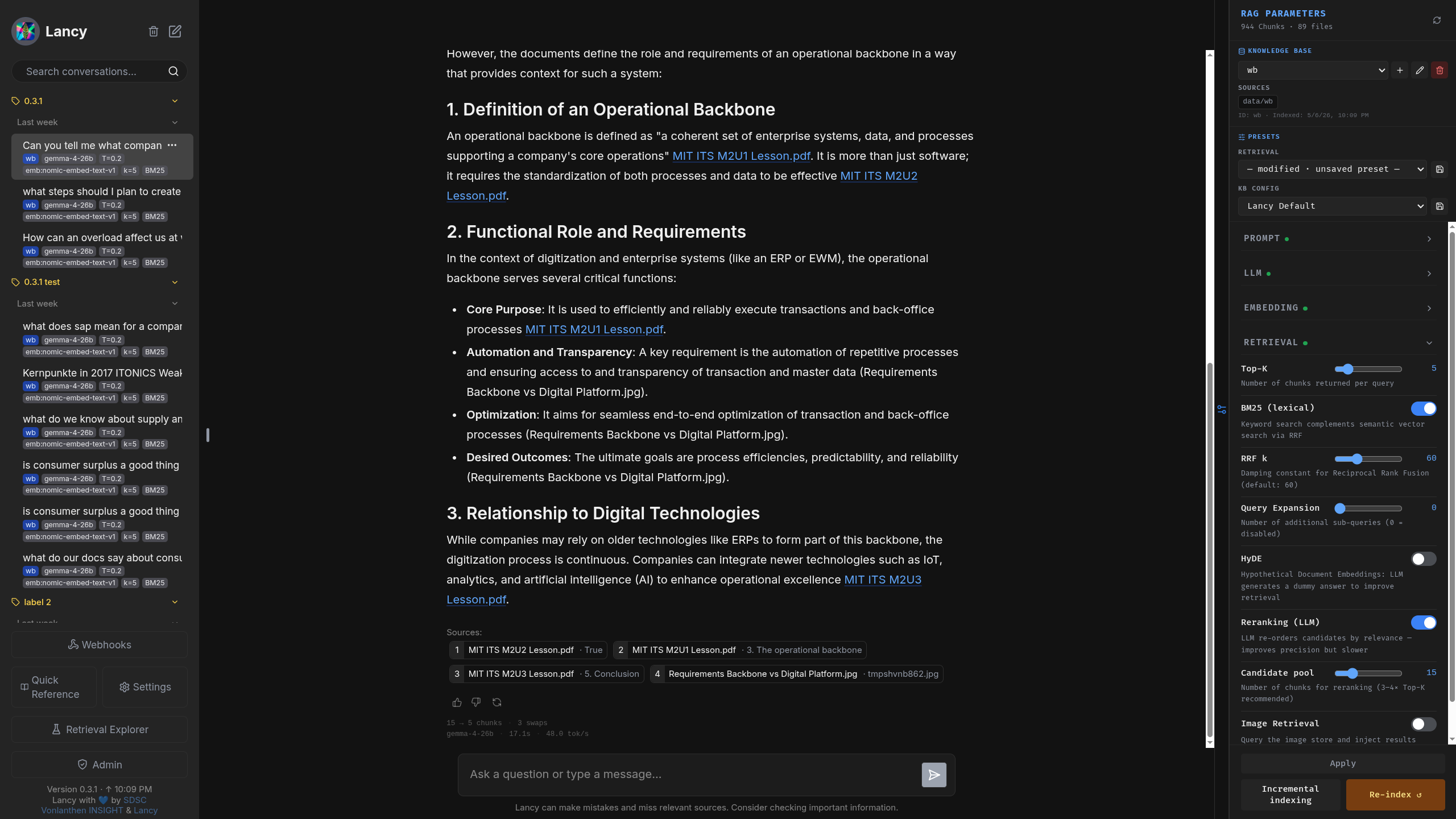
A modern chat interface with the features you expect is the entrypoint to finding answers in your knowledge base. Expandable sources point you to the evidence. With a lightweight user/admin role separation and single sign-on for a broad range of use cases, the app is ready to grow with your needs.
Evidences
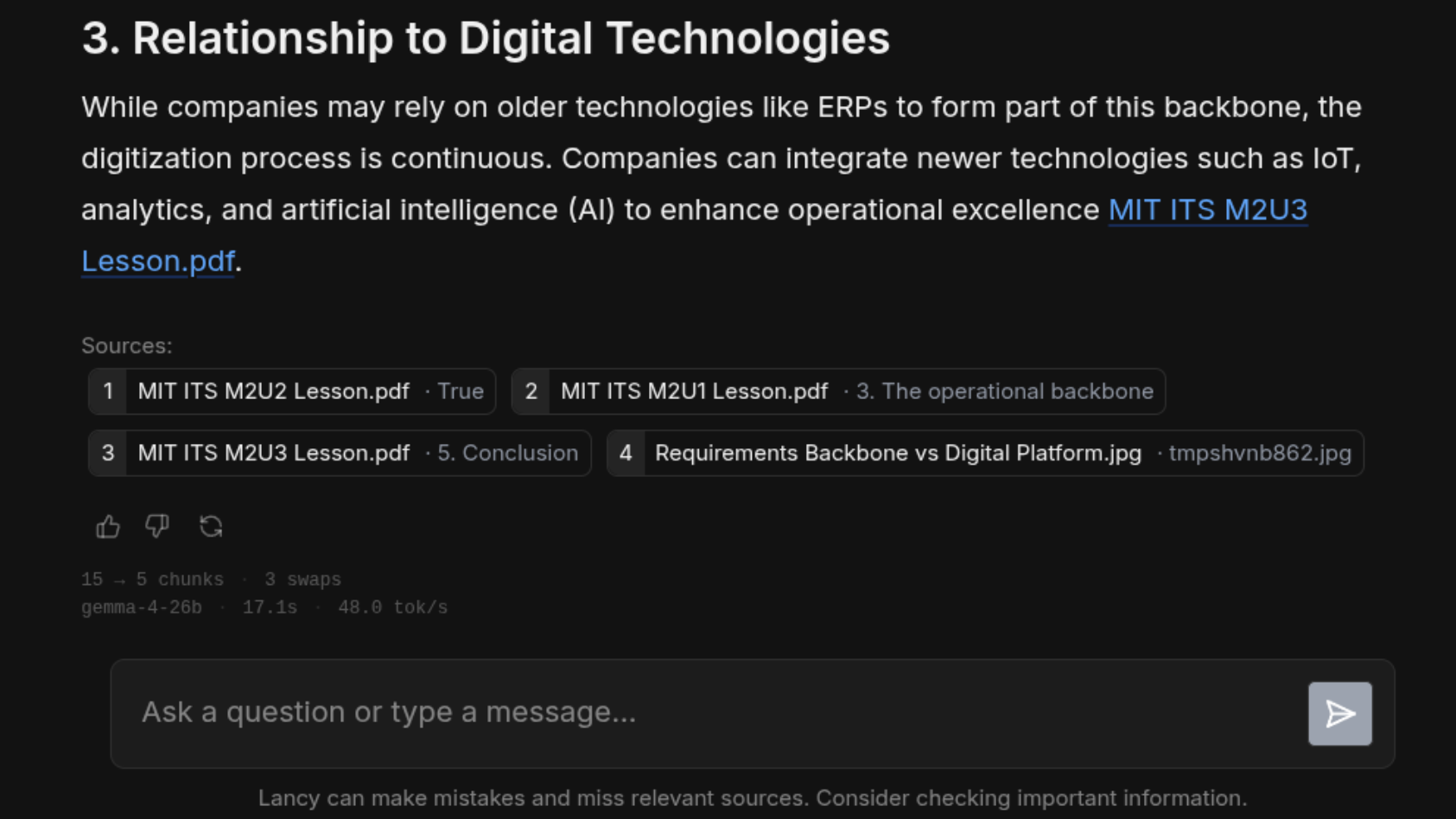
Lancy's RAG process is designed to help ensure responses are grounded in reality through explicit evidence surfacing. Though smaller models might struggle with clean source attribution, this transparent approach is essential for building trust in AI-generated insights.
Multi-KB
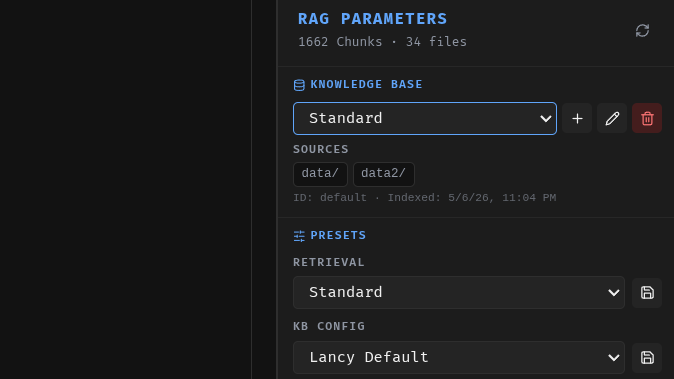
Provide users with multiple knowledge bases. A switch between knowledge bases is straightforward and can be done on the fly. That is, as long as they share the same embedding model and pre-processing settings. Since each knowledge base might have been built with a different combination of features, presets are defined per knowledge base. Only admins can create and modify presets on kb-level.
Batch-Analysis
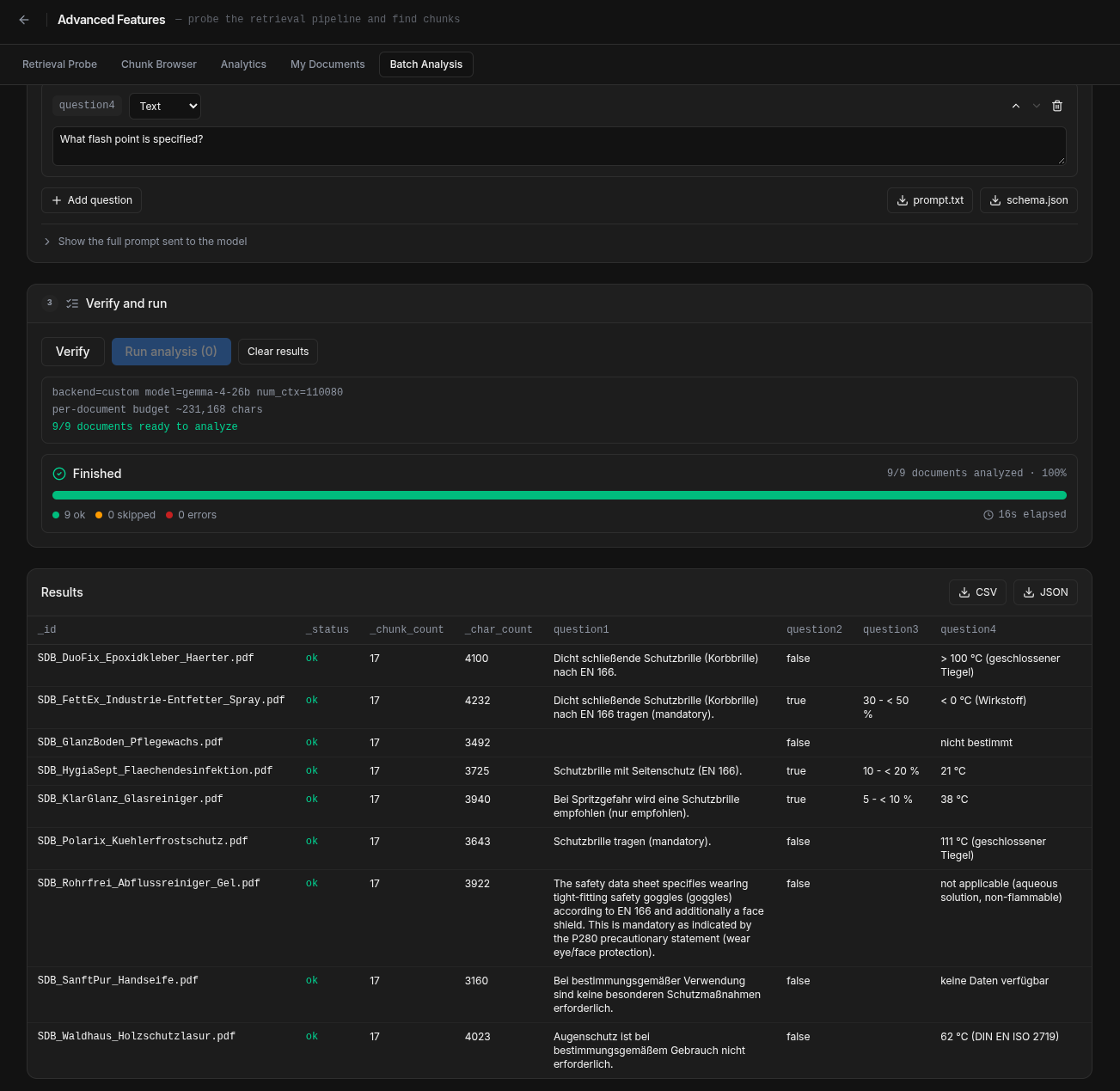
Upload a pile of documents, or select documents from a knowledge base. Formulate questions using different answer types, and get results in a tabular format for each file. Question sets can be saved and re-used.
Transparency
Peek under the hood and understand exactly how your information is retrieved.
Retrieval Probe
Deep-dive into your retrieval pipeline. The probe allows you to isolate and test the search phase without generating a full LLM response.
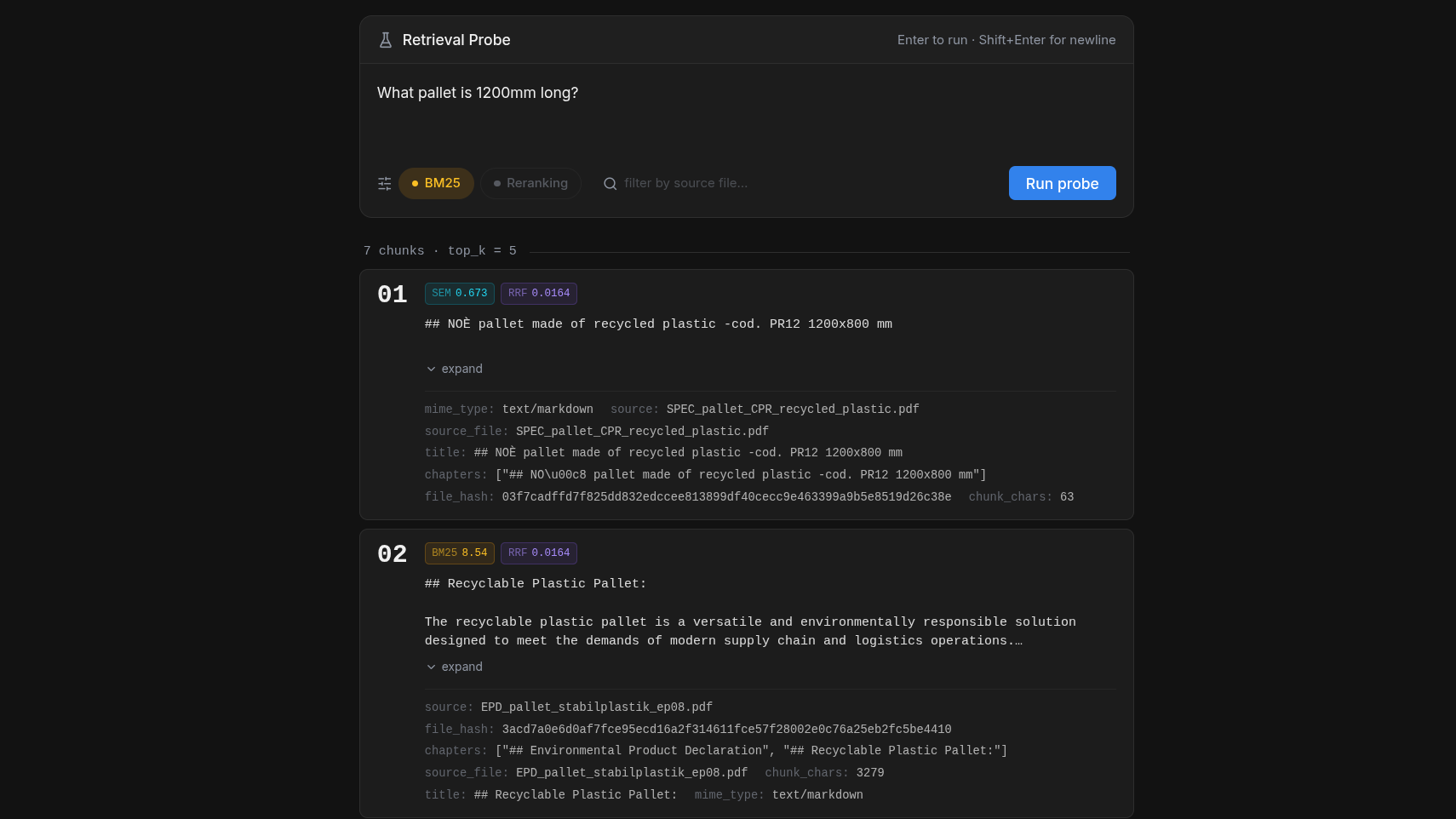
Diagnose retrieval issues with surgical precision. See exactly which chunks were considered, how they were reranked, and why specific pieces of information were selected or discarded. Perfect for debugging cases where the model "should" know the answer but isn't finding the right context.
Chunk Browser
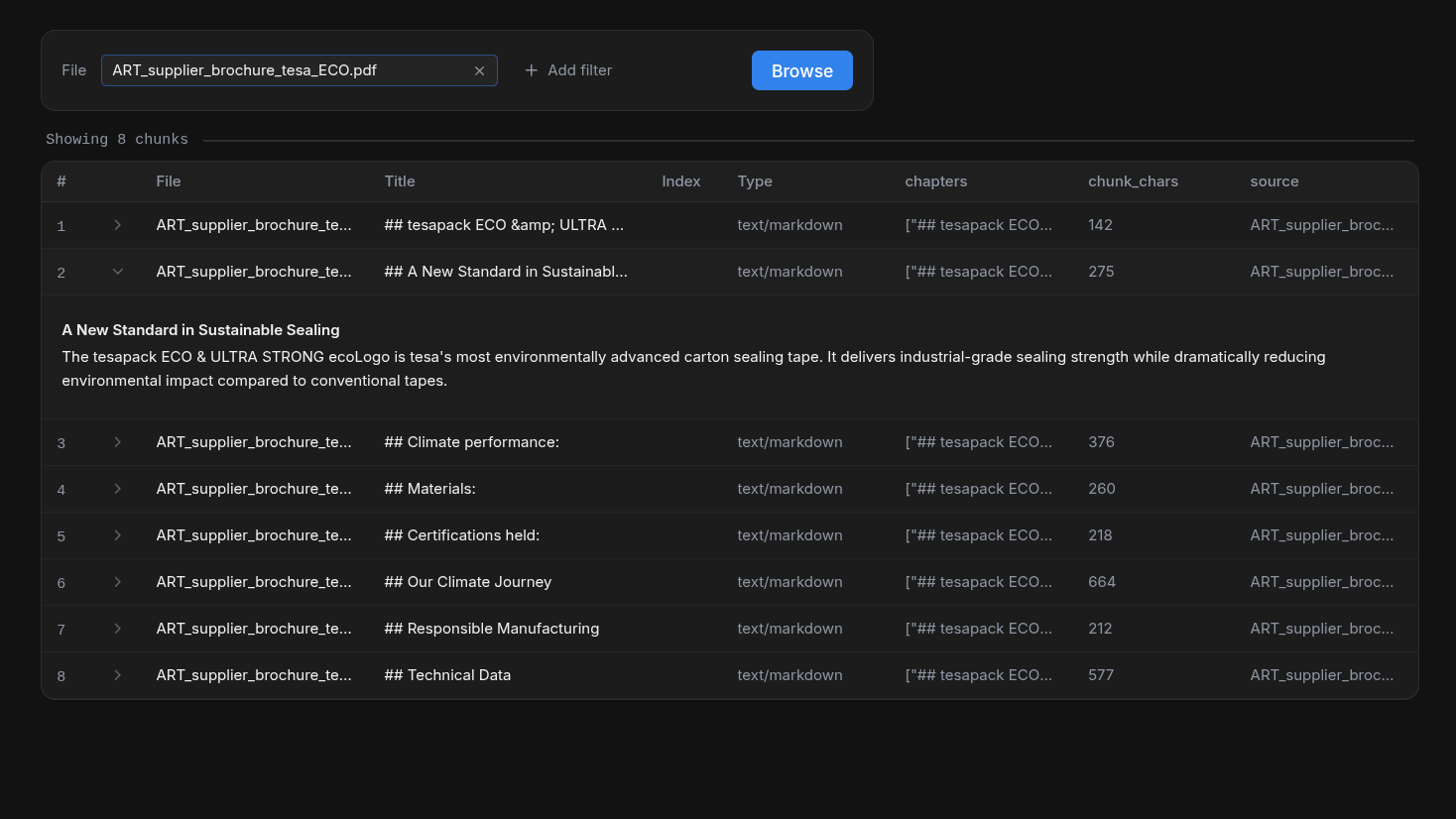
Browse through your indexed documents at the chunk level. Understand how your data is being segmented and stored. Useful to diagnose if your chunking strategy is working as expected.
KB Stats
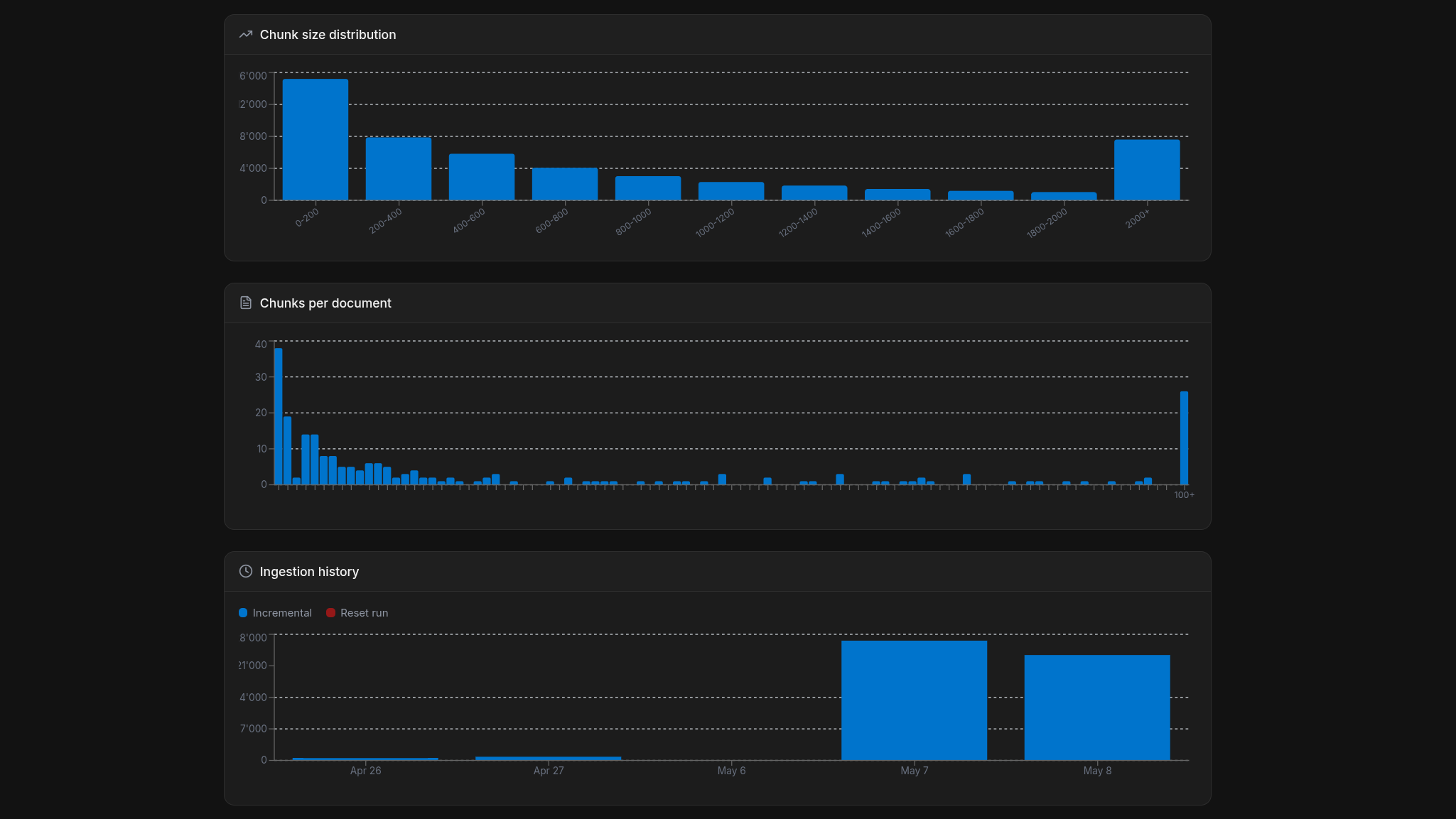
Get a bird's-eye view of your knowledge base. Monitor chunk size distribution, and ingestion history.
Usage Stats
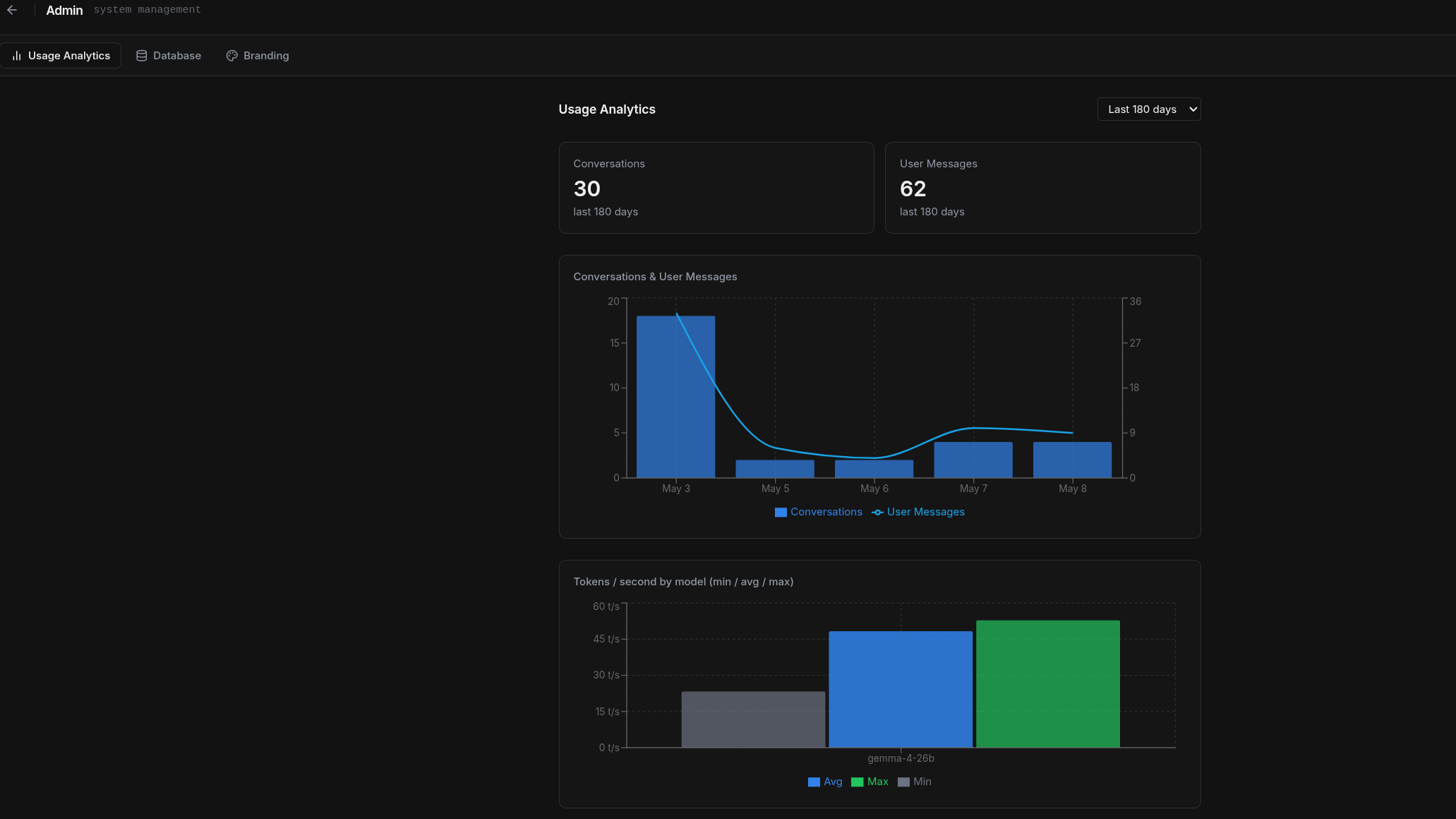
Monitor how your team uses Lancy. Track conversations and messages, and measure llm token per second performanc eoverall. Ingestion log will surface issues with your uploaded documents.
Config
Powerful administrative tools to manage your Lancy instance.
Tweak Retrieval
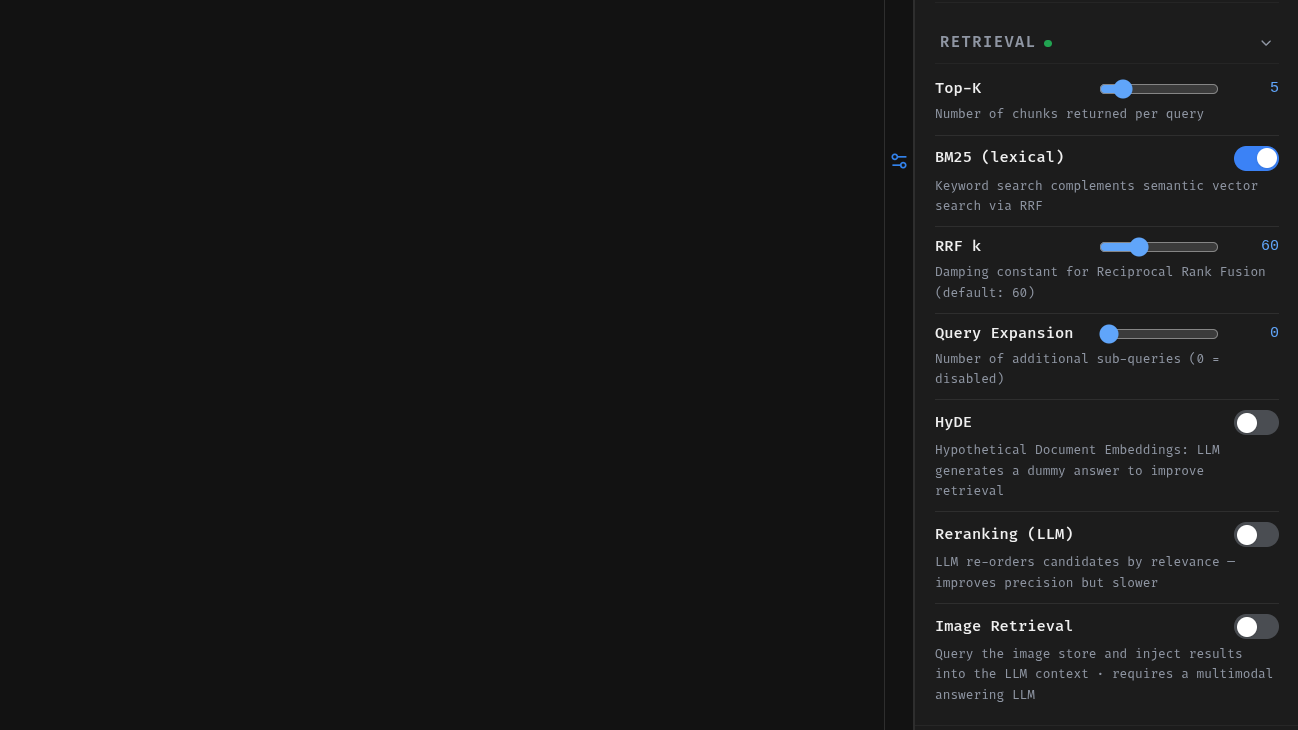
Fine-tune your retrieval parameters for your specific use case. Adjust top-k, and add additional features such as Query Expansion and Reranking. Those features require additional calls to the llm - thus affecting response speed.
KB Admin
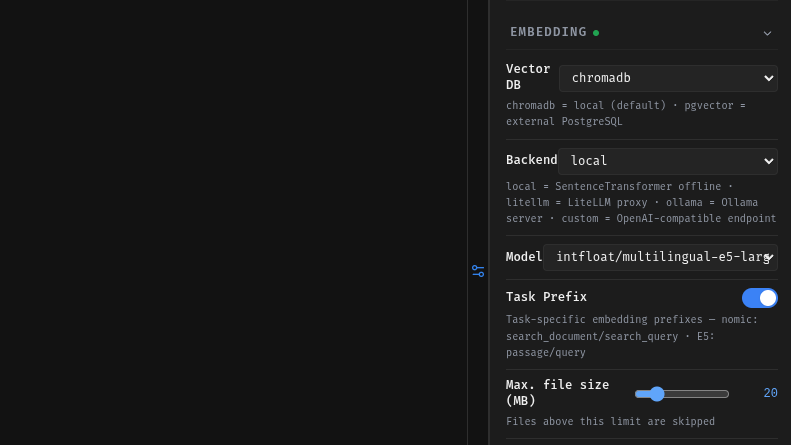
Once logged in with an admin role, the RAG Parameters sidebar is your admin area to manage your knowledge bases. Select the embedding settings for each KB individually. Your users will be able to switch between KBs, but won't be able to change these values.
KB Settings
Configure global settings for your knowledge base. Define embedding models, storage backends, and advanced features to have your RAG pipeline optimized for your hardware setup and use case. The embedding model for the vector store can help determine retrieval accuracy, speed, and scalability. Choose from a list of predefined models:
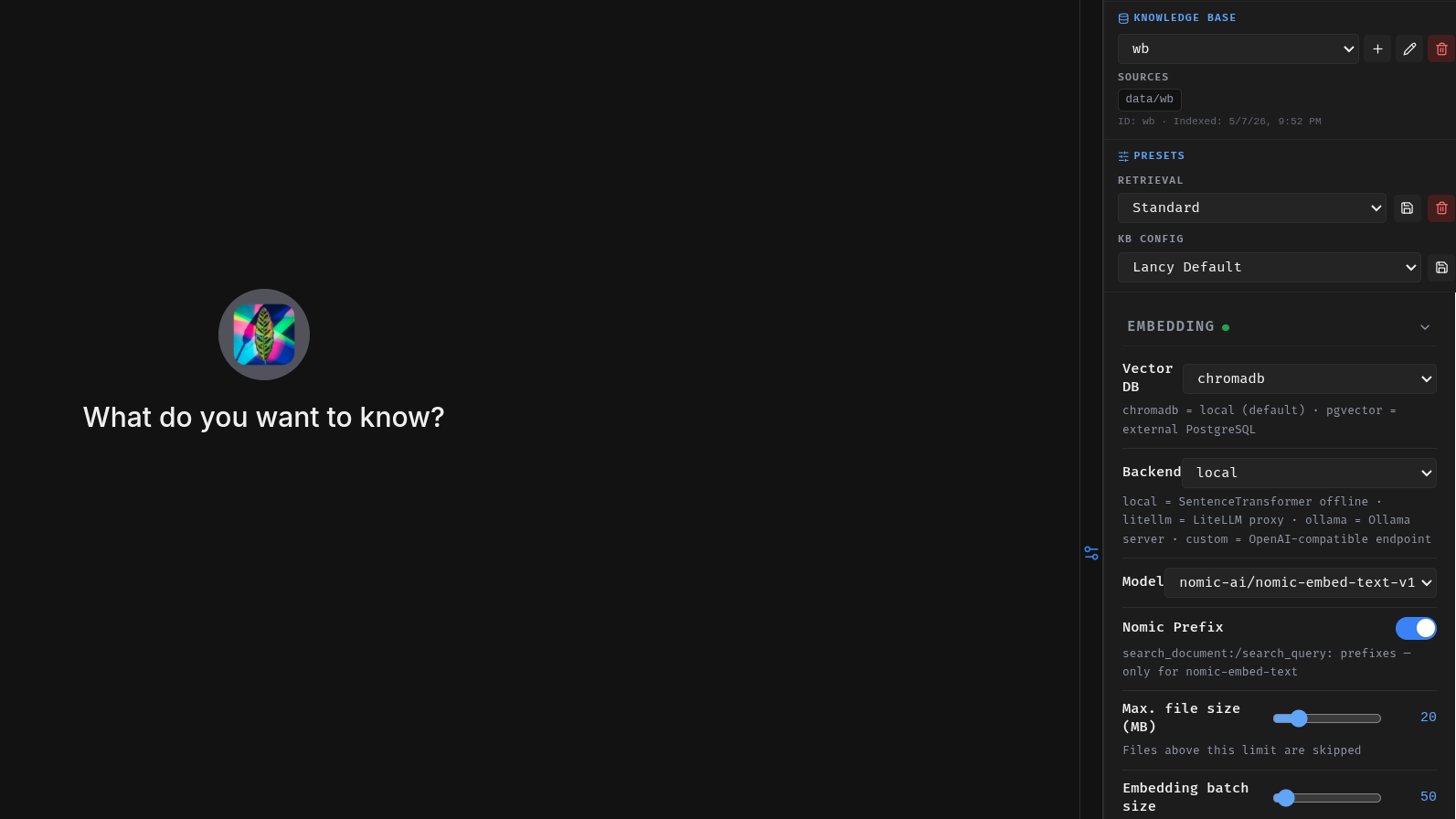
- all-MiniLM-L6-v2 (Nano) — 384-dim, ~85 MB. Fastest, lowest memory footprint, English only. Good for low-resource environments or rapid prototyping.
- nomic-ai/nomic-embed-text-v1 (Mini) — 768-dim, ~550 MB. English-focused with an 8192-token context window. Good default for monolingual setups.
- intfloat/multilingual-e5-large (Medium) — 1024-dim, ~2.2 GB. 50+ languages, trained specifically for cross-lingual retrieval — a German query can retrieve English chunks and vice versa.
- BAAI/bge-m3 (Large) — 1024-dim, ~2.3 GB. 100+ languages, 8192-token context. Best overall retrieval quality, especially for multilingual corpora.
All four models run fully offline. Ordered by memory footprint — pick the largest your hardware comfortably supports. See the Embedding Models guide for a full breakdown including context window limits and backend options.
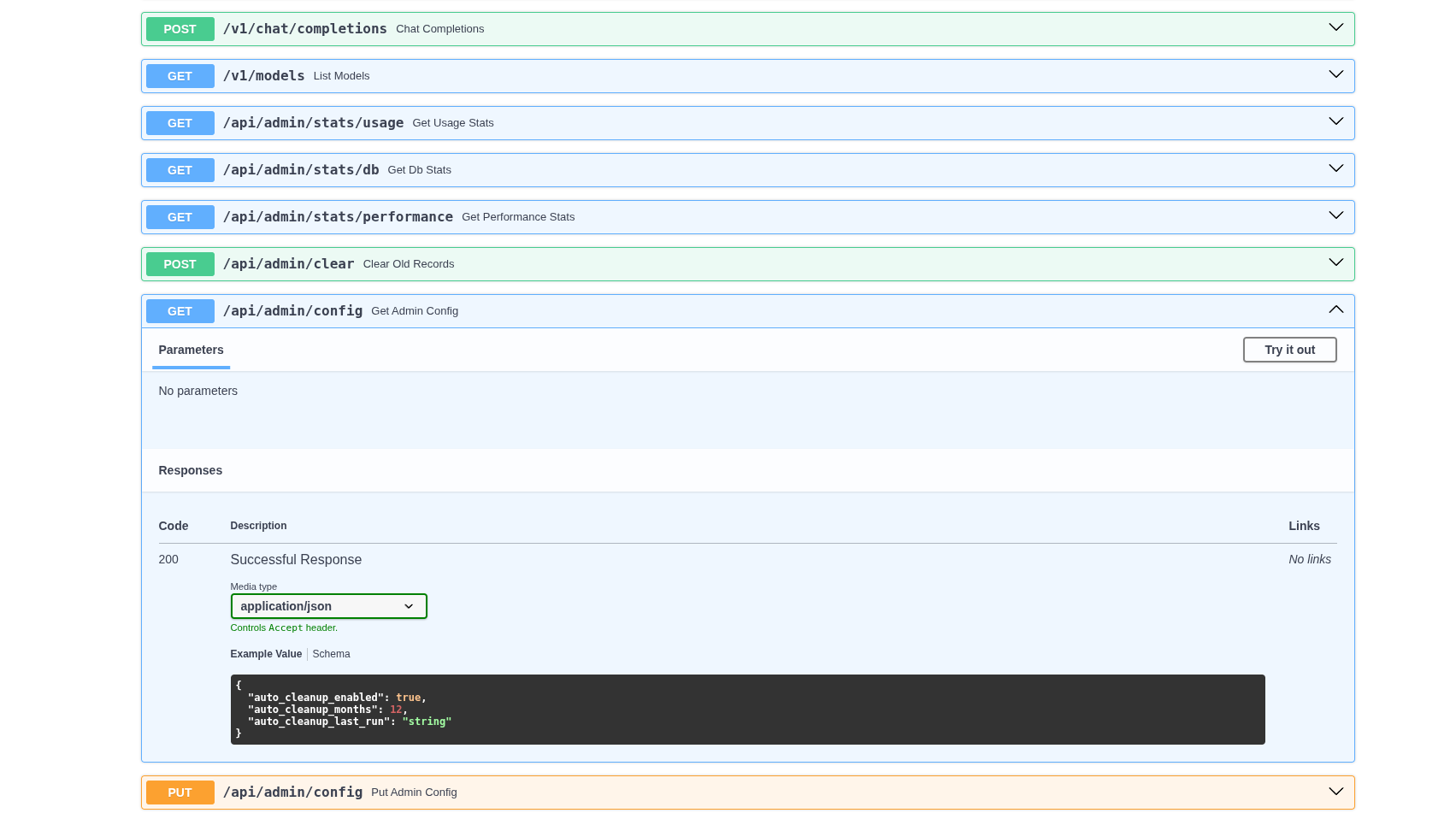
APIs
With an API-driven architecture, basically anything the frontend can do, you can do with an API call too. Integrate Lancy into your own workflows. See Docs for more info and once deployed, access the Swagger UI from FastAPI to see and test all the API endpoints.